
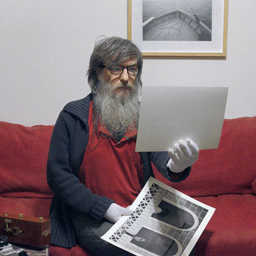
The undisputed utility of SmartClip for managing clipped highlights with a magenta cast and color reconstruction with the SC Freeze tool have been extensively discussed in this topic: viewtopic.php?t=939
But what can you actually do with these tools? How far can you go?
Well, I wanted to experiment with these tools, and with a little patience, willingness, a steady hand, and a keen eye, you can reconstruct areas that would otherwise be lost.
In the following example, you can see how the highlights of the hat and the ice pack take on the typical magenta hue.
In this other example, you can see the typical SmartClip function eliminating the magenta.
After that, the SC Freeze function allows you to reconstruct the color in the missing areas.
However, it can happen, as in this case, that more than one color needs to be reconstructed, mixed together, and resulting in different shapes.
The following example demonstrates a meticulous reconstruction, level by level, which, in my opinion, is somewhat surprising.
I would like to point out that the work was done with a mouse, and that using a graphics tablet would have made the operation easier and more precise.
However, if we exclude the imperfection visible with a 100% crop of over a meter, and consider exclusively the nominal print format, which in this case is 13.4 inches on the short side, as you can see from the example below, the result is very respectable.
The Power of Smart Clip's SC Freeze
- robyferrero
- ColorPerfect User
- Posts: 182
- Joined: Wed Aug 20, 2025 4:12 pm
- Location: Italia
Return to “On PerfectRAW - Change Your Photographic Art and Vision of the World”
Jump to
- On Complete Color Integrity and ColorPerfect in General
- ↳ On Understanding “Black”, “White”, CC Filters, Tones, Zones, etc., in ColorPerfect
- ↳ On Everything General (Scripting and Automating ColoPerfect, User Interface, etc.)
- On ColorPerfect for Analog and Hybrid Workflows - The Magic Is on Your Film
- ↳ Samples and Challenges - Let Others Play With Your Negatives and Vice Versa
- ↳ On ColorNeg - Digitize Color Negative Film by Digital Camera
- ↳ On ColorNeg - Scan Color Negative Film
- ↳ On ColorNeg - Scan or Reproduce Black & White Film
- ↳ On ColorPos or PerfectRAW - Digitize Positive Images (Slides, Photos & Art)
- ↳ On Restoring Original Colors to Any Adjustment - A Feature To Set You Free
- On ColorPerfect for All-Digital Workflows (No Film, Only Sensors)
- ↳ Samples and Challenges - Let Others Play with Your RAWs and Vice Versa
- ↳ On PerfectRAW - Change Your Photographic Art and Vision of the World
- On Our Auxiliary Tools and Helpers
- ↳ On MakeTiff and Auxiliary Tools
- On Scanners (Accuracy at Its Own Pace)
- ↳ On Scanner Hardware and Scanning Results
- On Apple Computers (Macs, MacBooks)
- ↳ On Software Installation (ColorPerfect, MakeTiff, Scanner Software, etc.)
- ↳ On Hardware Platforms (Apple Silicone, Intel, Power PC) and macOS Versions
- ↳ On Peripherals (Scanners, Screens, Thunderbolt, Firewire, etc.)
- On Windows Computers (PCs)
- ↳ On Software Installation (ColorPerfect, MakeTiff, Scanner Software, etc.)
- ↳ On Hardware Installation (Scanners, Screens, SCSI, Firewire, etc.)
- ↳ On ColorPerfect With Linux (Using WINE and PhotoLine)
- On Photography (Gear, the Wet Darkroom and Everything)
- ↳ On the Wet Darkroom (Enlargers, Film, Chemicals, Printing)
- ↳ On Setups for Digitizing Film With a Digital Camera
- ↳ On Classic Lenses Adapted to Digital Cameras
- ↳ On Analog Cameras Used With Film
- ↳ On Anything That Tilts and Shifts (Mostly View Cameras)
- ↳ On Digital Camera Systems and Their Lenses
- ↳ On Hacked Compact Cameras (CHDK, SDM) and PerfectRAW
- ↳ On Other Imaging Software in Conjunction With ColorPerfect
- On Us and Our Fellow Photographers
- ↳ On ColorPerfect Users - Introduce Yourself and Your Work
- ↳ On Artists, Books, Exhibitions and Inspiration
- On This Community
- ↳ Forum Rules - Your Input on Forum Structure etc., Is Welcome Here
- ↳ Lounge and off Topic Threads
