
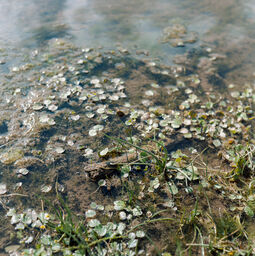
I encountered a technical question regarding PerfectRAW's behavior with low-light noise, and I would love to get your advice on the best workflow for this.
The Scenario:
The image was taken near dusk. The sky is still blue, but it is quite dark.
The Issue:
In Adobe Camera Raw (ACR): When opening the RAW file in ACR (with all noise reduction set to 0), the noise in the dark blue sky appears as monochromatic/black-and-white grain.
In PerfectRAW: When I extract the linear image using PerfectRAW, the noise in the same blue sky appears as distinct color noise (chroma noise) instead of monochrome grain.
My Questions:
Is this behavior expected and normal for PerfectRAW when handling dark, low-light digital gradients?
What is the recommended workflow to address this color noise? Should I proceed with the ColorPerfect conversion first to establish the color rendering, and then apply color noise reduction later in Photoshop? Or is there a better stage in the pipeline to handle this?
I want to make sure I’m utilizing the linear data correctly without ruining the subtle transitions of the evening sky. Thank you in advance for your insights!
Reminder: By posting here you’re sharing your raw images / linear Tiff files and derivatives for others to
download, edit, and re-post inside the forum.
Christoph Oldendorf / C F Systems may use originals and derivatives for demos, docs, and marketing
of ColorPerfect.
Outside use by other users requires your explicit permission or a license you add.
Make sure you own the photo and have consent if people are shown.
Color Noise in Low-Light Digital Image
-
C.Oldendorf
- Developer
- Posts: 244
- Joined: Fri Sep 02, 2022 10:31 am
- Contact:
Start here: viewtopic.php?t=942
A short summary of the longer thread I linked above:
Yes, this can be expected. PerfectRAW is not trying to hide the raw sensor noise from you. In a dark, smooth blue gradient, chroma noise may therefore become more visible than it appears in a conventional raw converter.
There are two possible stages for dealing with it. If the noise is only a final visual problem, process the image in PerfectRAW / ColorPerfect first and reduce chroma noise afterwards. If the noise is strong enough to disturb the interpretation of the image itself, the better route is to denoise before MakeTiff — but only with software that can return a suitable Linear DNG.
In that thread we also show how to get the free Adobe Camera Raw route back, for cameras already supported by ACR 17.3. Adobe removed the separate Enhance → DNG file creation in ACR 17.4 and newer, which broke the handoff to MakeTiff. With ACR 17.3, the older workflow still works: open the raw file in Adobe Camera Raw, use Enhance / Denoise, let ACR create the denoised DNG, then pass that DNG through MakeTiff and continue in PerfectRAW.
For newer cameras not supported by ACR 17.3, or for users who prefer a current maintained tool, DxO is presently the more interesting route because it can also return Linear DNGs after its denoising. The basic idea is:
RAW → ACR 17.3 Enhance DNG or DxO Linear DNG → MakeTiff → linear TIFF → PerfectRAW / ColorPerfect.
I would use this conservatively. The goal is not to erase every trace of high-ISO character, but to remove digital noise when it interferes with the edit. After that one can still compare with the original, transfer settings via Exact, stack both versions as layers, blend between them, or reintroduce more pleasant film-like grain if the denoised result has become too clean.
A short summary of the longer thread I linked above:
Yes, this can be expected. PerfectRAW is not trying to hide the raw sensor noise from you. In a dark, smooth blue gradient, chroma noise may therefore become more visible than it appears in a conventional raw converter.
There are two possible stages for dealing with it. If the noise is only a final visual problem, process the image in PerfectRAW / ColorPerfect first and reduce chroma noise afterwards. If the noise is strong enough to disturb the interpretation of the image itself, the better route is to denoise before MakeTiff — but only with software that can return a suitable Linear DNG.
In that thread we also show how to get the free Adobe Camera Raw route back, for cameras already supported by ACR 17.3. Adobe removed the separate Enhance → DNG file creation in ACR 17.4 and newer, which broke the handoff to MakeTiff. With ACR 17.3, the older workflow still works: open the raw file in Adobe Camera Raw, use Enhance / Denoise, let ACR create the denoised DNG, then pass that DNG through MakeTiff and continue in PerfectRAW.
For newer cameras not supported by ACR 17.3, or for users who prefer a current maintained tool, DxO is presently the more interesting route because it can also return Linear DNGs after its denoising. The basic idea is:
RAW → ACR 17.3 Enhance DNG or DxO Linear DNG → MakeTiff → linear TIFF → PerfectRAW / ColorPerfect.
I would use this conservatively. The goal is not to erase every trace of high-ISO character, but to remove digital noise when it interferes with the edit. After that one can still compare with the original, transfer settings via Exact, stack both versions as layers, blend between them, or reintroduce more pleasant film-like grain if the denoised result has become too clean.
-
robyferrero
- ColorPerfect User
- Posts: 190
- Joined: Wed Aug 20, 2025 4:12 pm
- Location: Italia
These are some noise reduction examples performed with an older computer and older tools like Nik Collection Dfine2. More up-to-date tools can be used to achieve better results.
In this case, the noise was planed after processing with PerfectRAW.
Of course, the option of pre-denoising, obtaining a DNG file, remains valid with the specific Camera RAW or DxO tools mentioned above. Personally, I prefer the results obtained with DxO.
The difference between the two is that, in my opinion, DxO (PureRAW) delivers greater detail.
Despite this increased detail, however, the use of additional grain is crucial for eliminating the "plastic" and planed effect, restoring greater texture, depth, and fine detail to the image, especially in the shadows.
In the examples shown here, although the noise was reduced after processing with PerfectRAW, I followed the same grain-reducing method.
In the first crop, you can see the detail without noise reduction.
In the second crop, you can see the reduction of chroma and luminance noise with Dfine2.
In the third crop, you can see the reduction of chroma noise with Difine2, leaving the background luminance noise (grain effect).
In the fourth crop, again, total noise reduction (chroma and luminance) with the addition of analog grain from Fujifilm Pro 400H.
In this case, the analog grain is real, but an even more effective result can be achieved, effectively counteracting the plastic and planed effect of typical noise reduction using software grain.
As I said, these operations were performed because I was "forced" to use an old computer. This computer does not allow me to use an Adobe DNG Converter suitable for your file, and consequently, the Linear TIFF is obtained through demosaicing in LibRAW.
In any case, I am attaching all the Tiff files so you can view them in person.
In this case, the noise was planed after processing with PerfectRAW.
Of course, the option of pre-denoising, obtaining a DNG file, remains valid with the specific Camera RAW or DxO tools mentioned above. Personally, I prefer the results obtained with DxO.
The difference between the two is that, in my opinion, DxO (PureRAW) delivers greater detail.
Despite this increased detail, however, the use of additional grain is crucial for eliminating the "plastic" and planed effect, restoring greater texture, depth, and fine detail to the image, especially in the shadows.
In the examples shown here, although the noise was reduced after processing with PerfectRAW, I followed the same grain-reducing method.
In the first crop, you can see the detail without noise reduction.
In the second crop, you can see the reduction of chroma and luminance noise with Dfine2.
In the third crop, you can see the reduction of chroma noise with Difine2, leaving the background luminance noise (grain effect).
In the fourth crop, again, total noise reduction (chroma and luminance) with the addition of analog grain from Fujifilm Pro 400H.
In this case, the analog grain is real, but an even more effective result can be achieved, effectively counteracting the plastic and planed effect of typical noise reduction using software grain.
As I said, these operations were performed because I was "forced" to use an old computer. This computer does not allow me to use an Adobe DNG Converter suitable for your file, and consequently, the Linear TIFF is obtained through demosaicing in LibRAW.
In any case, I am attaching all the Tiff files so you can view them in person.
- Attachments
-
- _ST_0805-maketiff_libraw_perfectraw-E.tif
- (138.46 MiB) Not downloaded yet
-
- _ST_0805-dfine2_chrominance_luminance-E.tif
- (138.46 MiB) Not downloaded yet
-
- _ST_0805-dfine2_chrominance-E.tif
- (138.46 MiB) Not downloaded yet
-
- _ST_0805-dfine2_chrominance_luminance+grain_fuji_pro_400h-E.tif
- (138.46 MiB) Not downloaded yet